
ADVERTISEMENT
ADVERTISEMENT
The Microsoft Authenticator app is designed to enhance your online security by providing an additional layer of protection for all your accounts, including personal, work, or school-related logins. It offers users a choice between leveraging traditional passwords or opting for a more modern, passwordless sign-in experience. As a free tool, it is particularly valuable for anyone looking to improve their digital security, whether they're everyday users or corporate professionals. 🔐
Users should download the Microsoft Authenticator app for its robust security features combined with user-friendly functionality. One unique selling point is the ability to perform multi-factor authentication (MFA), ensuring that even if your password is compromised, another layer of verification protects your accounts. Recent updates have improved user experience and streamlined the interface for seamless browsing through your accounts. Not only does this app provide a secure way to manage your various logins, but it also supports an extensive range of applications beyond Microsoft’s ecosystem, including Facebook, Amazon, and Google. 🌐
▪ Multi-Factor Authentication: Adds an extra security layer by requiring a second verification method beyond just your password.
▪ One-Time Passwords (OTP): Generates time-based codes that expire every 30 seconds, eliminating the need to memorize complex codes.
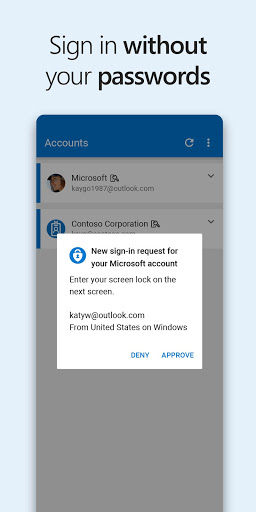
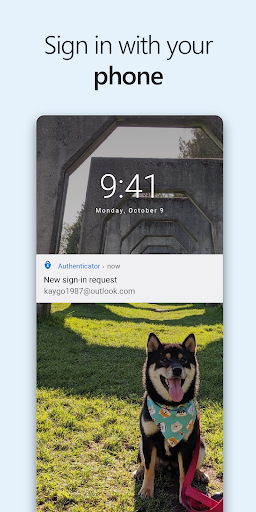
▪ Passwordless Sign-In: Allows users to log in to their Microsoft accounts without traditional passwords, using just their mobile devices for verification.
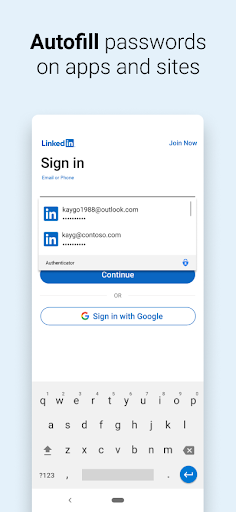
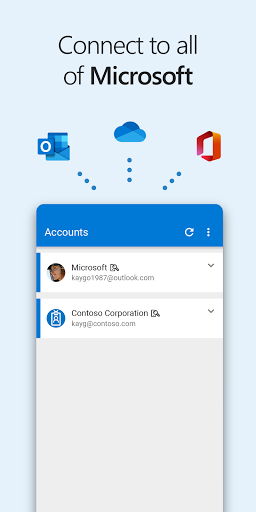
▪ Account Management: Easily manage multiple accounts within one app, supporting both Microsoft and non-Microsoft services, enhancing convenience.
▪ Free and Secure: The app is completely free to use while providing high standards of security for your online accounts.
1. First, download the Microsoft Authenticator app from the official App Store for iOS or Google Play for Android devices.
2. After installation, open the app and choose to either find an account or add a new one by tapping on the '+' icon.
3. Follow the prompts to either scan a QR code provided by your service or enter the code manually to connect your accounts.
4. If using multi-factor authentication, log in with your username and password, then approve the incoming notification on your mobile device for verification.
5. Explore additional options for managing your accounts within the app, allowing for seamless navigation between your personal and work accounts. 📲

ADVERTISEMENT


Welcome to Zorapin - your go-to destination for downloading the latest and most popular Android apps. Our mission is to provide a safe, reliable, and user-friendly platform for Android users to discover and download the best apps.
At Zorapin, our top priority is to deliver top-notch content that is relevant to our users. Our team of experts carefully selects and reviews each app before it is available for download on our platform. We also regularly update our app library to ensure our users can access the latest versions of their favorite apps.
At Zorapin, we provide a wide range of high-quality apps that cater to all your needs. Our platform is continuously updated with the latest and hot apps, ensuring users can access the most up-to-date apps.
We prioritize providing a seamless and hassle-free app download experience. Our website is easy to navigate, and our download process is quick and secure.
Thank you for choosing Zorapin as your trusted source for Android apps. We hope you enjoy using our platform and welcome your feedback and suggestions.


